Drive is the file storage layer of an App Studio workspace. It keeps your files in a storage bucket of your own, the workspace enforces who can read them, and desktop and Android apps open it on your computer and phone.

Files end up in whichever personal cloud account was handy. Nobody can say which storage holds them or who could read them. Drive answers both from one place: your workspace.
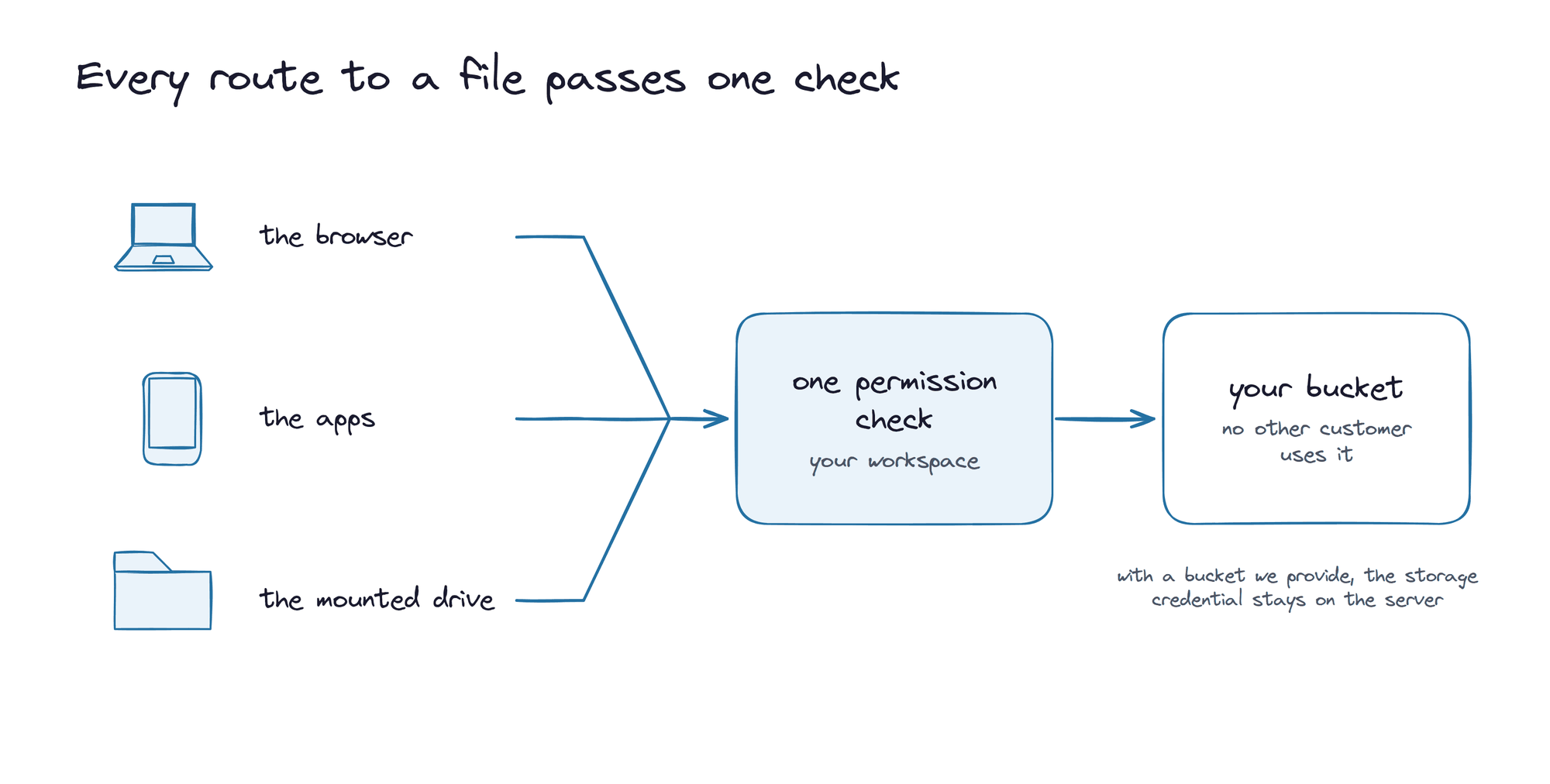
Your files are stored in a storage bucket that no other customer uses. The separation is enforced by the storage credential itself.
With a bucket we provide, the credential stays on the server. Your users, including your own administrators, reach files only through the workspace's permission check.
The browser, the apps and the mounted drive all pass through the same check.
Use a bucket we set up for you, or connect your own S3-compatible storage. With your own storage, we set up no bucket for you.
You hold the storage account and its credentials, and we work inside the access you grant.
A folder tree with permissions set per folder. On a mounted drive, a folder you cannot read is absent from the listing.
Large files upload in parts and pick up again after an interruption.
Downloads from the browser, the apps and the mounted drive are recorded in one log.
The desktop app mounts your Drive in your file manager. The mounted drive is read-only in this version.
Both apps open your own workspace. Neither has an account or an address built in: you type your workspace address and sign in there.
Opens your workspace's Drive in a window and mounts it as a drive in your file manager. Designed for Windows, macOS and Linux; tested on macOS and Linux so far.
Opens your workspace's Drive on the phone and connects it to the phone's own file handling.
Drive runs on Simbotix's own workspace. No outside customer uses it yet. This is the state of each piece.
| Piece | Stage | What that means |
|---|---|---|
| Drive in the workspace | In use | In use at Simbotix, with files held in object storage. Calls recorded with DialZ in October 2026 are filed there. |
| Per-customer buckets | Proven in testing | Setting up a customer's storage passes its full test runs, including writing a file to a test bucket, reading it back and confirming it is unchanged. |
| Connecting your own storage | Built | Built. Not yet run against a customer's own storage. |
| Desktop app | In use | In use on macOS against Simbotix's own workspace since November 2026. Mounting as a drive is proven on macOS and Linux against the test workspace. A Windows build has not been tested yet. |
| Android app | Proven in testing | Run on an Android 14 emulator: upload through the file picker and download through the download manager. |
| iPhone app | Not yet | Not started. |
| Saving to the mounted drive, sync folder, offline copies | Not yet | Not available in this version. |
| Customer workspaces | Not yet | None yet outside Simbotix. |
Tell us how you work today. We will show you the product on a call and tell you whether it fits.